Privacy & anonymity
GrapheneOS is a privacy-first operating system. It can't make you anonymous, but it gives you real tools to minimize tracking and reduce your footprint. Here is what it does, and where its limits are.
No Google account needed
A GrapheneOS phone works fully with no account at all. There is no sign-in during setup, and no Google apps or services come with the OS. If you need apps that depend on Google, you can install sandboxed Google Play in one profile only, and even then you don't have to sign in to a Google account for many apps.



Network and Sensors permissions
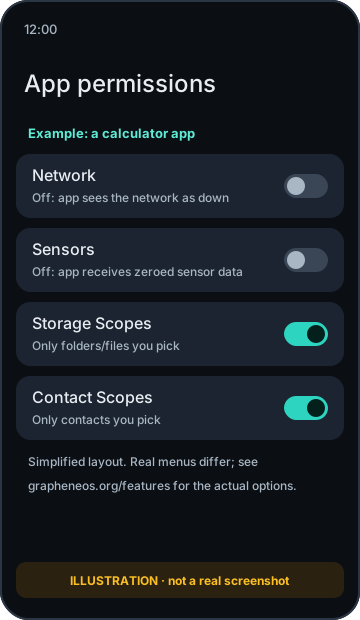
GrapheneOS adds two permissions that stock Android doesn't let you control:
- Network: turn it off and the app has no network access at all, including to other apps on the device. To the app, it looks as if the network is down.
- Sensors: turn it off and the app gets no data from the accelerometer, gyroscope, compass, barometer and similar sensors. You can set new apps to have Sensors off by default.
Storage Scopes and Contact Scopes
Instead of giving an app all your photos, files or contacts, you can grant Storage Scopes or Contact Scopes. The app believes it has permission but only sees the specific files, folders or contacts you choose. That lets apps that insist on a permission work without handing over everything.
Wi-Fi MAC randomization per connection
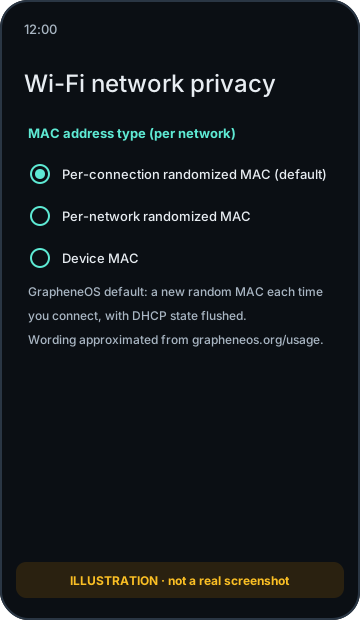
Stock Android uses a random MAC address per network, but keeps it the same every time you reconnect to that network. GrapheneOS's default goes further: it generates a new random MAC for each connection and clears the DHCP client state, which makes it harder for network operators to link your visits. The Wi-Fi scanning MAC is also randomized.
Default connections: minimal, and documented
GrapheneOS has no telemetry or analytics. Out of the box it only connects to GrapheneOS services for things such as OS and app updates, network time, the connectivity check and proxied location assistance (SUPL) and attestation key provisioning, so that these requests don't go directly to Google. The project documents every default connection, and you can change many of them (for example, choosing a different connectivity check server). See the official list of default connections.
VPNs and Tor
A VPN moves trust from your internet provider to the VPN provider. GrapheneOS supports Android's always-on VPN and block connections without VPN settings. Common choices are WireGuard-based VPNs such as Mullvad. For Tor, you can use the Tor Browser, or Orbot to route apps through Tor. These hide your IP address from the sites and services you use. They don't hide who you are if you sign in.
SIMs and your phone number
Your phone number is often your most-tracked identifier. Options that reduce exposure include a data-only SIM with calls and texts over apps such as Signal, or a prepaid SIM. Registration and ID rules for prepaid SIMs vary by country and carrier. See our SIMs page for details.
- Your carrier sees you. Any phone with a SIM tells the cellular network its IMSI (SIM ID) and IMEI (hardware ID), and the network knows roughly where you are. No operating system can hide that. Airplane mode, or no SIM, is the only way to stop it.
- Payments leave a trail. Paying for a phone, SIM or VPN with a card links that purchase to you.
- Accounts identify you. Signing in to Google, banks, social media or messaging apps tells that service who you are, whatever the OS.
- Apps can still collect what you give them. GrapheneOS limits what they can access, but data you type or permissions you grant still go to the app's servers.
We describe GrapheneOS as privacy-first and as a way to minimize tracking. We don't claim it is "anonymous" or "untraceable", and you should be careful of anyone who does.